
Home

Products

Fulfillment
Integrations
JTL Integrations

JTL Fulfillment

E-commerce logistics for your JTL store.

MS Direct handles JTL fulfillment for you: warehousing, picking and packing, shipping, and returns—all from a single source. The integration is handled via the standard interface to the JTL platform, while your ERP system remains your leading system. With the standard interface, you’ll be up and running in 10 days.

Three Steps to Your JTL Fulfillment

1. Connect JTL Shop

Partnership via the JTL Platform

Your JTL inventory management system remains the central platform. You and MS Direct confirm the connection within the JTL platform, after which our IT team sets up the integration. Within a few days, we’ll process the first orders, and inventory levels, shipping statuses, and tracking numbers will flow back into your system.

2. Deliver and store goods

System-Guided Putaway

You deliver your items, and we take care of the rest. Every delivery is inspected for quality, cross-checked against the order, and automatically entered into the system and assigned to the correct storage location within 48 hours. We record any shortages on-site so that your inventory is accurate from the start.

3. Shipping & Tracking

Deadline at 4:00 p.m.

Orders from WooCommerce are automatically sent to us. We pick, pack, and hand the shipment over to the appropriate carrier. If an order is received by 4:00 p.m., the package is shipped the same day; a late cutoff time of 8:00 p.m. is possible depending on the setup.

How the JTL Integration Works

How the Process Works

The connection to MS Direct is established via the standard interface to the JTL platform. The connection is confirmed by both parties, and our IT team then handles the setup. You don’t need to develop your own interface for this.

How the link is created

You add MS Direct as a fulfillment partner in your JTL account, and we’ll confirm the request on our end. This establishes the connection between your system and ours.

What MS Direct Does

Our IT team will set up the data transfer, add your products to our inventory system, and test the data flow in both directions before the first orders go live.

What Flows into MS Direct

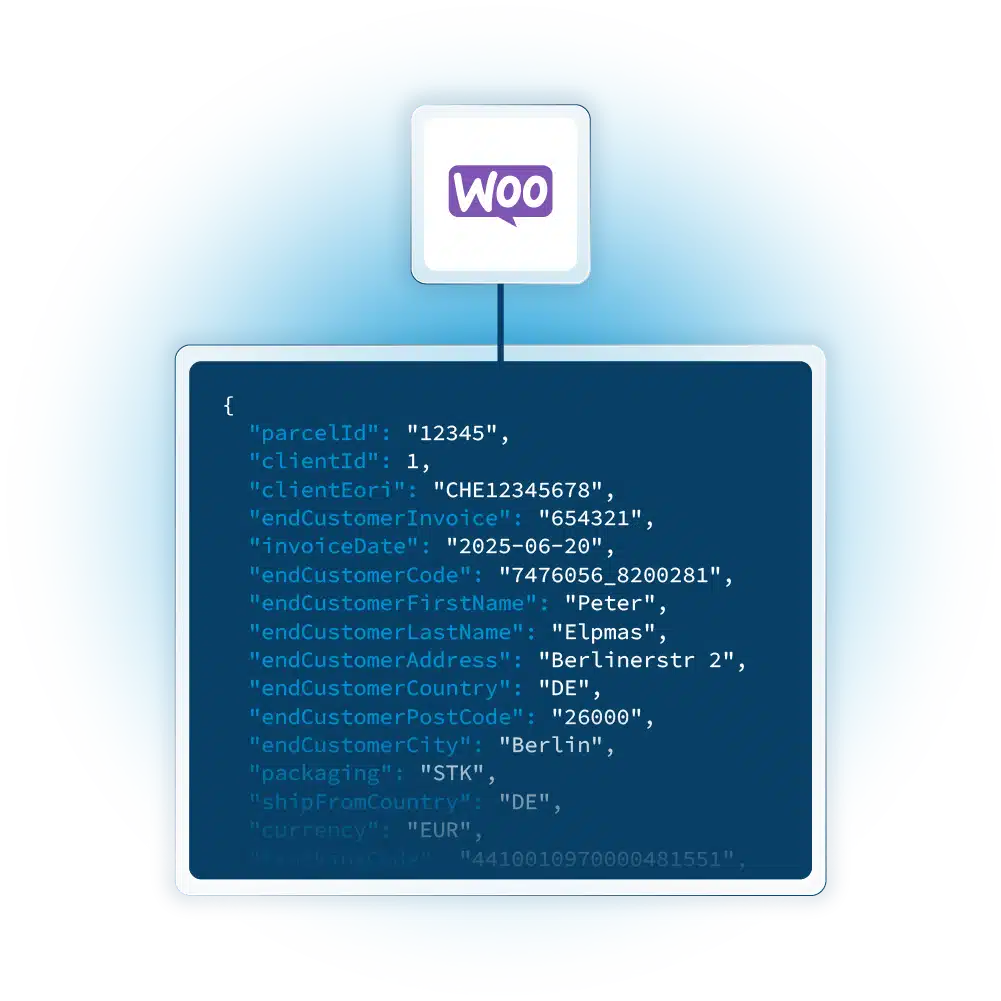
Your product data and every incoming order are transferred from JTL to our system and automatically integrated into our inventory and shipping processes.

What Flows Back Into Your System

By default, we send three types of data back to JTL: current inventory levels, the shipping status of each order, and the tracking number. Additional data fields can be added if you need them.

How the reconciliation works

The interface retrieves data at regular intervals and sends back updates. If your setup allows it, we’ll set up a webhook instead.

Your Data in JTL and the Dashboard

Your inventory, shipping, and tracking data are available in two places: directly in WooCommerce via the API, and in the MS Direct Power BI dashboard for in-depth analysis.

Product Details

You continue to maintain your product data in JTL. The interface imports all active items and variants and creates them in our inventory system so that each item is uniquely assigned.

Inventory Levels

Your available inventory is continuously updated in JTL. In the dashboard, you can analyze inventory trends over longer periods of time.

Icon_Express

Orders

Every order is sent to MS Direct and integrated into our processes. The shipping status is fed back into your system, and you can track quantities and lead times over time in the dashboard.

Icon_Cross-dock

Tracking

For every shipment, you’ll receive the Track & Trace number directly in JTL. This reduces the number of inquiries your customer service team receives because your customers can see the status themselves.

Fulfillment calculator.

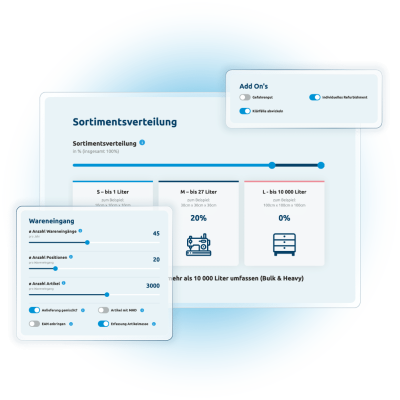
Calculate the price for your JTL Fulfillment

  • Information on product range, volume, and shipping requirements can be entered in just a few minutes
  • Price estimate based on your own figures—no obligation and free of charge
  • Get an instant price estimate for your custom setup
Vorschau über die Eingabeoptionen des Fulfillment-Kalkulators

Why Choose MS Direct as Your JTL Fulfillment Partner?

Automation Your Customers Can Feel

Our fulfillment centers use AutoStore, AI-driven picking robots, and custom-fit packaging. Automated processes reduce sources of error and keep turnaround times stable, even during Black Friday and the holiday season.

Fulfillment experience since 1978

MS Direct has been processing orders since 1978 and currently serves more than 250 customers, including brands such as On, Bergzeit, and namuk. Each year, we process more than 55 million items and over 20 million returns.

Switzerland and Germany—all from a single source

You store your merchandise where your markets are. MS Direct operates fulfillment locations in Arbon and Oftringen, as well as the fulfillment center in Kaufbeuren. One connection, two countries, no additional interfaces.

MS Direct handles your JTL fulfillment—from integration to returns. The solution is flexible and easily scales with your store. Here’s what sets us apart:

  • From 250 to over 250,000 orders per month, with warehouse and processing capacity for every step in between.
  • Returns are inspected, evaluated, and, if in sellable condition, restocked within 48 hours.
  • A dedicated Customer Success Manager will guide you from onboarding through to day-to-day operations.

Frequently Asked Questions About JTL Fulfillment.

What is JTL Fulfillment?

How do I connect MS Direct to my JTL account?

Will JTL remain my primary system?

What data is exchanged between JTL and MS Direct?

How long will it take for my JTL Fulfillment to start?

At what order volume does fulfillment become worthwhile for a JTL store?

Where are my goods stored?

By what time do orders need to be received to be shipped the same day?

How are returns processed?

How much does fulfillment cost for JTL?

Ready for automated JTL fulfillment?

„For over 18 years, I've been helping online stores outsource their fulfillment. I'd be happy to show you what the setup would look like for your store—free of charge and with no obligation. “

Peter Egger
VP Growth